
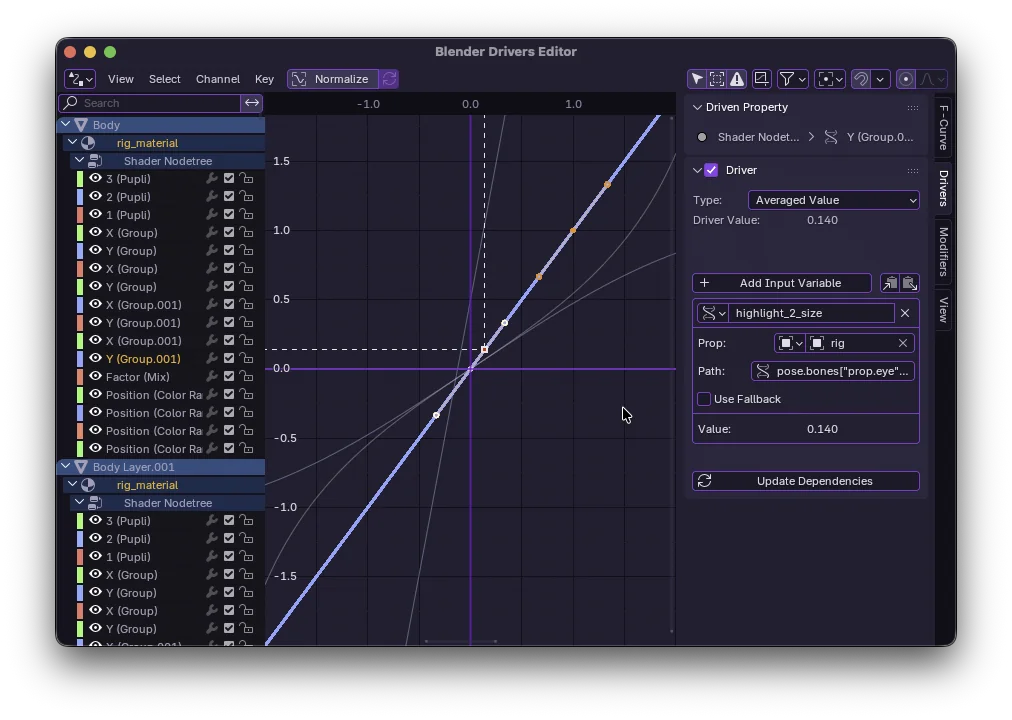
What are Drivers?
Drivers in Blender are a way to control values of properties using a driver function or expression. They are essentially relationships between properties.
Why use them?
- Automation: Animate one property and have others follow automatically.
- Complex Rigs: Create mechanical rigs (gears, pistons) that just work.
- Corrective Shapes: Trigger shape keys based on bone rotation.
Setting up your first Driver
- Right-click on any property (e.g., X Location).
- Select Add Driver.
- Open the Drivers Editor window to configure it.
Tip: You can also type
#frameinto any value field to quickly add a driver that equals the current frame number!
Types of Drivers
There are a few ways to calculate the driver value:
Scripted Expression
This is the most flexible method. You can write a Python expression using variables.
# Example expression
var * 2 + sin(frame)
Averaged Value
Taking the average of multiple variables.
Common Pitfalls
Cyclic Dependencies
Avoid driving a property that in turn drives the original property. This creates an infinite loop and Blender will stop updating.
Performance
Too many complex drivers can slow down your viewport playback. Use them wisely!
Conclusion
Drivers are a powerful tool in your Blender arsenal. Once you master them, you can create rigs that feel like magic.